Implementation

1.Go to EMS >Configuration >NSS >PPS.
2.Make sure the System ID at the upper right corner displays PPS_pub, click the
1.Click to open the SRF Parameters >USSD Service Number tab.
2.Click the hyperlinked index number of the USSD service number to open its option window.
3.Configure the USSD access code and click highlight SAVE after change.
4.Click the
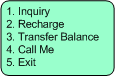
Please note the USSD hotline menu order is based on the key's sequence. For unsupported service, just leave its key as idle.
1.Click to open the SRF Parameters >USSD Service Key tab.
2.Click the hyperlinked index number of the USSD service key to open its option window.
3.Configure the service key and click highlight SAVE after change.
4.Click the
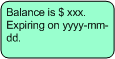
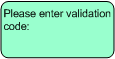
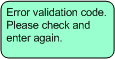
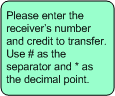
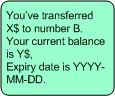
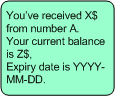
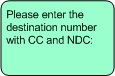
Please note the SMS Sentence #40 to #45 are dedicated for USSD operation, USSD prompts for other prepaid services are same as relevant SMS prompts.
1.Click to open the Service Control >SMS Sentence tab.
2.Click the hyperlinked index number of the sentence wanted to change to open the configuration window.
3.Edit the sentence in the Language x Content line, click highlighted SAVE when it's done.
4.Click the
|


 button to update it to application servers.

1.Go to EMS >Configuration >NSS >HLR.
2.Click the
1.Click the USSD tab, pick up an idle UG-CSI object from 0 to 3, configure the relevant parameters given in the following table.
2.Click the
|

|
Return to
2.48.3